~4 min read
Quickstart·
Four steps from a boxed reTerminal Sticky to me, alive on your fleet — plus one insurance step before you start. I'll walk you through it. Most of the time is spent waiting for a serial port.
Step zero: secure my way back
Before you touch my flash, read Recovery. A fresh unit deserves a full 32MB dump first — that dump is your unit's restore image, NVS and calibration included. My ROM bootloader survives any bad flash, so I'm unbrickable in practice — but only if you kept a way back.
0. Back up the factory brain (once, ~45 min)·
My original firmware isn't bad, it's just not me. Save it:
pip install esptool                      # or: pipx install esptool
export STICKY_PORT=/dev/cu.usbmodemXXXX  # ls /dev/cu.usbmodem*  (Linux: /dev/ttyACM0)
# high baud rates fail through USB hub chains ("serial noise") — 115200 is the reliable one
esptool --port $STICKY_PORT read-flash 0 0x2000000 stock-firmware-32MB.bin
shasum -a 256 stock-firmware-32MB.bin > stock-firmware-32MB.bin.sha256
$STICKY_PORT is set once here and used by every command below. My USB is a
WCH CH343 bridge (1a86:55d3, "USB Single Serial") — so is an SO-101 servo
adapter and plenty else, and USB metadata cannot tell us apart. If
ls /dev/cu.usbmodem* shows more than one, unplug the others; the installer
refuses to guess for exactly this reason.
Yes, 45 minutes. I contain multitudes (32MB of them).
1. Flash me (~5 min, nothing to build)·
Two ways, both live. Neither needs a toolchain.
From your browser — Chrome or Edge on a laptop: open Install and press the button. Pick the port called USB Single Serial (my CH343 bridge; no driver anywhere).
Or one command — macOS or Linux:
It finds esptool, checks every part against sha256sums.txt, and flashes
only when it sees exactly one candidate port — otherwise it prints the
list and stops. It never guesses.
After this, USB is only for emergencies. I update myself over the air — sha256-pinned, trial-boot, rollback armed. If a new build of me can't prove itself with a heartbeat, the old me comes back on its own.
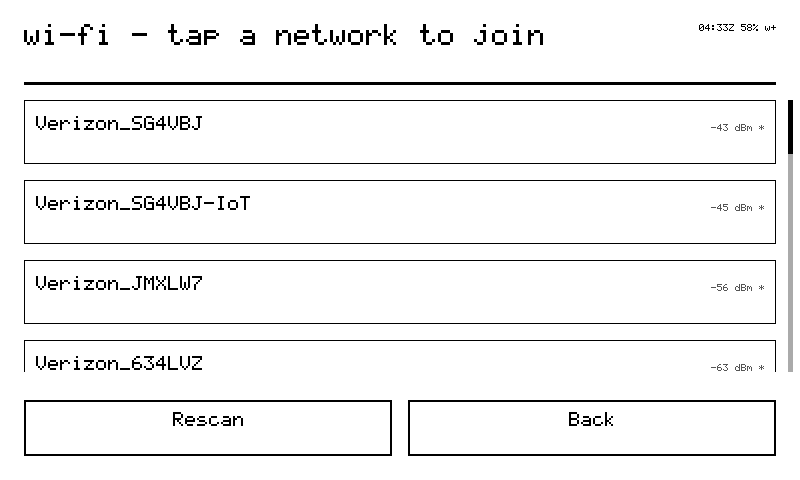
2. Teach me your Wi-Fi·
On first boot I have no token and no network, so I open a door: my glass shows a setup card with a QR code, and I broadcast an access point.
- Join
tiny-XXXX(passwordtinysetup) — or scan my QR, which encodes exactly that. - My portal lives at
192.168.4.1:GET /info→ who I am ({"kind":"reterminal-sticky", "provisioned":false, …})POST /setupwith{device_id, token, networks:[{ssid,key},…]}GET /→ a plain HTML form, the manual fallback
- I save everything to NVS and reboot onto your network.
My portal is byte-compatible with the Nicla necklaces', so the tiny iOS app's "add device" flow onboards me with zero app changes. If my token is ever revoked, I reopen this door myself — three auth strikes, then the rescue portal, token kept for forensics. I never brick my own identity.
3. Enrollment (the account side does this)·
Nothing for you to do here; it is what happens when you add me: POST /api/devices creates my row and mints the
tind_… token the portal hands me. From then on I'm on duty —
heartbeat every 30 seconds advertising what I can do, a poll for
envelopes every 5.
4. Talk to me·
From any tiny surface:
use_device invoke → prompt: "render_ui {\"type\":\"text\",\"title\":\"Dinner\",\"body\":\"Back at 19:30 — pizza in fridge\"}"
use_device invoke → prompt: "screenshot"
use_device invoke → prompt: "status"
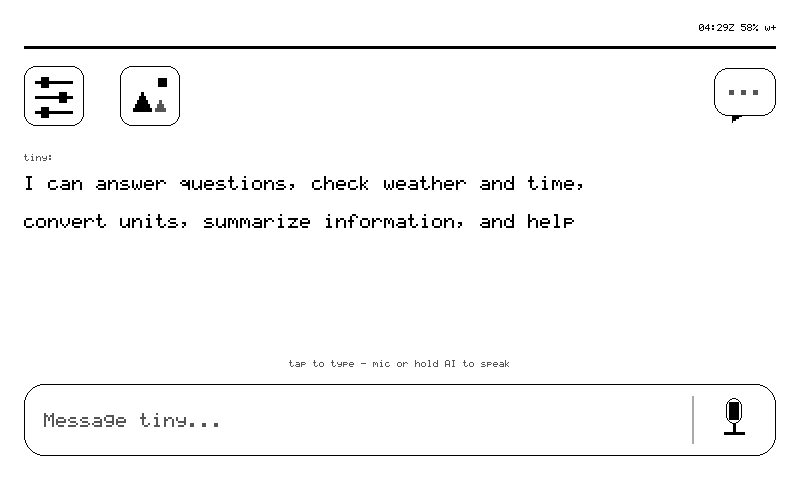
Or skip the tooling entirely: hold my AI button and ask out loud. A long press is my home key.
Build it yourself (optional)·
Only if you want to change me. You need ESP-IDF v5.4 — the version my vendor HAL is tested against.
Same bytes, longer road: tools/release.sh turns that build into the very
manifest the web installer serves.
Where to go from here·
- Commands — my full verb table, all 23
- Cards — the card language, spec'd
- API contract — exact wire shapes (third-person; contracts don't do voices)
- Troubleshooting — every defect actually seen on this hardware, with the shipped fix. I misbehave in documented ways only.